
Kaspi QR payments
Kaspi QR for WooCommerce
Learn how Kaspi QR checkout works in WooCommerce, how mobile payment links help phone users, and why the order should update only after the final payment result.
Desktop QR checkout and mobile payment links
The customer path changes by device, but both paths should wait for a final payment result before WooCommerce marks the order as paid.
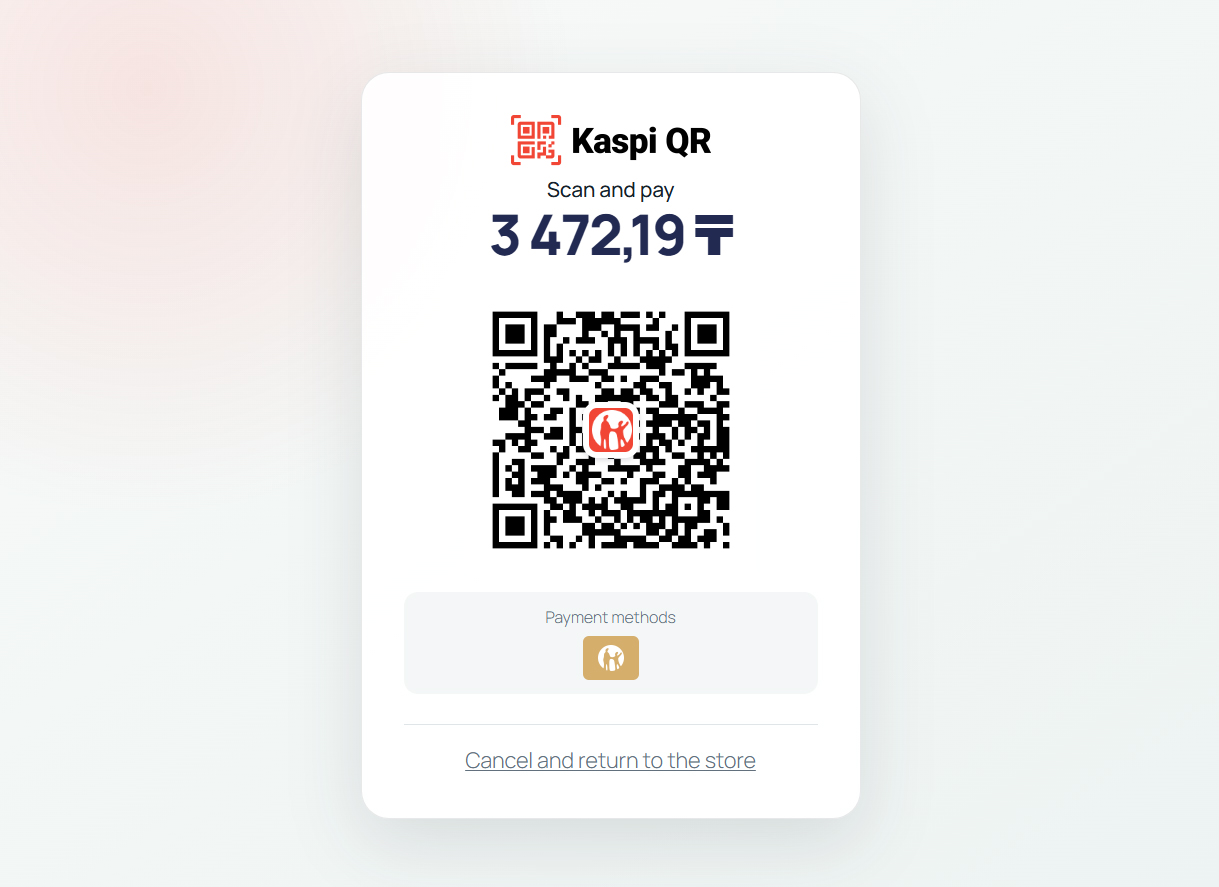
Desktop Kaspi QR
The customer places an order on desktop, sees a Kaspi QR code and scans it with the Kaspi app.
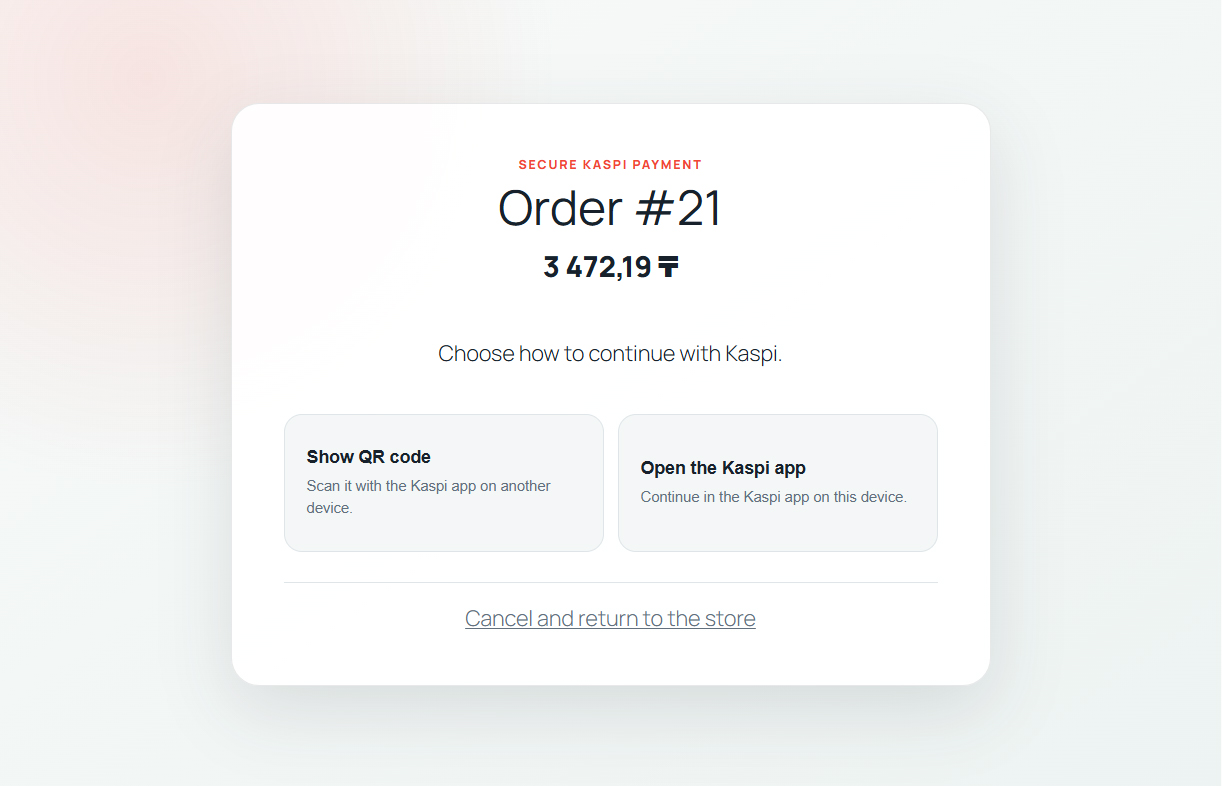
Mobile payment link
The customer places an order on mobile and continues through a Kaspi payment link on the same device.
Payment status tracking
KZ Pay checks the payment status and updates the WooCommerce order only after the final result is received.
From WooCommerce order to payment result
Creating a Kaspi QR code or opening a payment link starts the payment attempt. It does not mean the order is paid.
-
1
WooCommerce order is created
The customer chooses KZ Pay at checkout and WooCommerce creates the order.
-
2
Kaspi QR or payment link is shown
Desktop customers see a Kaspi QR code. Mobile customers can continue through a Kaspi payment link.
-
3
Customer completes payment in Kaspi
The customer confirms the payment inside Kaspi, not on the WooCommerce page itself.
-
4
KZ Pay tracks the result
KZ Pay checks the payment status from WordPress until Kaspi returns a final payment result.
-
5
WooCommerce order updates
WooCommerce should update the order only after the final result is received and matched to the order.
-
6
Expired or failed attempts stay separate
If the payment expires, fails or is cancelled, the order should not be treated as paid.
When WooCommerce should update the order
A reliable Kaspi QR checkout keeps QR creation, customer confirmation, payment status and WooCommerce order updates as separate steps.
Order completion rules
- A displayed Kaspi QR is not a paid result.
- An opened payment link is not a paid result.
- WooCommerce should wait for the final payment result.
- The paid amount should match the WooCommerce order total.
Store safeguards
- The Kaspi Pay API key should stay server-side.
- Customer-facing pages should not expose credentials.
- Order access should remain tied to WooCommerce order access.
- Support requests should not include API keys or full sensitive logs.
Operational limits
- KZ Pay does not provide a Kaspi Pay account or merchant approval.
- WooCommerce checkout currency should be KZT.
- Automatic API refunds are not available with the current Kaspi QR integration.
- Kaspi Shop marketplace checkout is separate.
What happens behind the payment screen
These details are lower on the page because most merchants only need the customer flow, payment status and order update behavior.
Server-side status checks
KZ Pay checks payment status from WordPress so the browser page cannot mark an order paid by itself.
Protected order access
The payment screen stays tied to the WooCommerce order and its access rules.
Delayed outcomes
Expired, failed and delayed payment results should be tested before enabling the method for real customers.
Common Kaspi QR payment issues
Use these checks before changing checkout settings or fulfilling an order. Keep API keys, credentials and full sensitive logs out of support messages.
QR code is not created
- Possible cause
- Checkout setup is incomplete, the order total is invalid or the selected trade point cannot accept the payment.
- What to check
- Check KZT currency, order total, KZ Pay checkout readiness and recent WooCommerce order notes.
- What to do next
- Correct the setup issue and let the customer start a new payment attempt.
QR code expired
- Possible cause
- The customer did not complete the payment before the provider timeout.
- What to check
- Check the WooCommerce order notes and confirm the attempt is marked expired or failed.
- What to do next
- Ask the customer to create a new payment attempt. Do not reuse the expired QR code.
Payment remains pending
- Possible cause
- Kaspi has not returned a final result yet or scheduled status checks are delayed.
- What to check
- Check order notes and WordPress scheduled actions.
- What to do next
- Wait for the next check or review the payment in Kaspi Pay before any manual decision.
Customer paid but order did not update
- Possible cause
- KZ Pay could not safely match the final result to the WooCommerce order.
- What to check
- Verify the payment in the Kaspi Pay app and confirm the amount matches the order total.
- What to do next
- Do not duplicate the payment. Record the decision in WooCommerce and contact support with the order ID and safe error text.
Mobile payment link does not open
- Possible cause
- The device browser cannot open Kaspi, the link expired or the customer is using an unsupported in-app browser.
- What to check
- Test from a normal mobile browser and confirm the payment attempt is still active.
- What to do next
- Ask the customer to retry checkout or use desktop QR when available.
Payment failed
- Possible cause
- The customer cancelled, Kaspi declined the payment or the payment attempt ended in a failed state.
- What to check
- Check WooCommerce order notes and the merchant Kaspi Pay record.
- What to do next
- Let the customer retry only with a new valid payment attempt or use another payment method.
KZ Pay is not available at checkout
- Possible cause
- The gateway is disabled, setup is incomplete, store currency is not KZT or license status needs review.
- What to check
- Check WooCommerce payment settings, KZ Pay readiness, currency and Freemius license or trial status.
- What to do next
- Complete setup and enable KZ Pay only after readiness is clear.
Kaspi QR for WooCommerce FAQ
Short answers about QR checkout, mobile payment links, payment status and order updates.
What is Kaspi QR in WooCommerce?
It is a checkout flow where a WooCommerce customer receives a Kaspi QR code and completes the payment in Kaspi.
How do customers pay on desktop?
Desktop customers place an order, see the Kaspi QR code on the payment page and scan it with the Kaspi app on another device.
How do customers pay on mobile?
Mobile customers can continue through a Kaspi payment link on the same device instead of scanning their own screen.
Does opening a payment link mean the payment succeeded?
No. Opening a payment link only starts or continues the payment attempt. WooCommerce should wait for the final payment result.
How does WooCommerce know the payment was completed?
KZ Pay tracks payment status and updates the matching WooCommerce order after the final result is received and validated.
What happens when a QR code expires?
The expired QR code should not be reused. The customer should start a new payment attempt if checkout still allows payment.
What happens if a payment fails?
A failed payment should not complete the order. The customer can retry with a new valid payment attempt or use another payment method.
How are refunds handled?
Automatic API refunds are not available with the current Kaspi QR integration. Process the monetary refund in the Kaspi Pay app first, then record it in WooCommerce.
Do I need a Kaspi Pay account first?
Yes. The merchant must already have the required Kaspi Pay access, API key and trade point setup.
Is KZ Pay an official Kaspi product?
No. KZ Pay is independently developed by Group Starlight and is not affiliated with, endorsed by or sponsored by Kaspi.kz.
KZ Pay is independently developed by Group Starlight and is not affiliated with, endorsed by, sponsored by, or an official product of Kaspi.kz. Kaspi and related trademarks belong to their respective owners.
Add Kaspi QR Payments to WooCommerce
KZ Pay provides a maintained WooCommerce integration for Kaspi QR payments and mobile payment links, including payment-status tracking and WooCommerce order updates.
7-day free trial · No credit card required