
KZ Pay - Kaspi QR Integration for WooCommerce
Accept Kaspi QR payments and payment links directly in your WooCommerce store.
- 7-day free trial · No credit card required
- $19.99/month · $149.99/year
- 1 production WooCommerce store
Requires an existing Kaspi Pay merchant account, API key and configured trade point.

WooCommerce + Kaspi QR
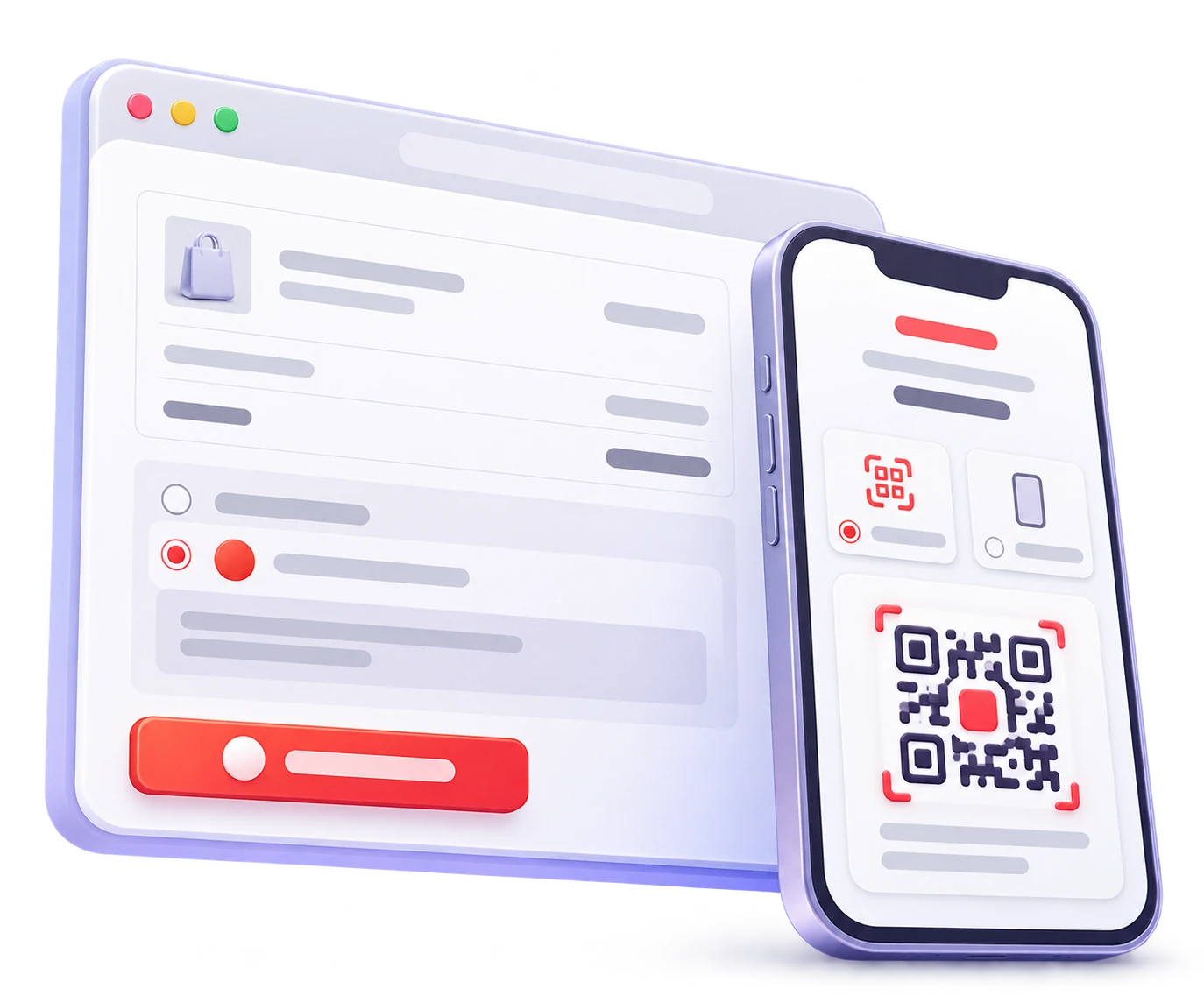
What KZ Pay adds to your store
Practical tools for accepting Kaspi payments in WooCommerce without maintaining a custom checkout integration.
Kaspi QR at checkout
Give desktop customers a Kaspi QR payment path from the WooCommerce checkout.
Payment links
Let mobile customers continue payment on the same device with a Kaspi payment link.
Payment status tracking
KZ Pay checks the payment result from the WordPress server until Kaspi returns a final outcome.
Order history for support
Final payment outcomes stay connected to the matching WooCommerce order for review and support.
Guided store setup
Configure the API key, trade point and checkout behavior from WordPress settings.
One maintained plugin
Use a supported plugin instead of building and maintaining a custom Kaspi QR integration.
A simple payment flow for customers and your store
Customers can pay by Kaspi QR or payment link, while WooCommerce stays synchronized with the payment result.
-
1
Customer chooses KZ Pay
The WooCommerce order is created and the KZ Pay payment page opens.
-
2
KZ Pay creates the payment
Depending on the device, the customer receives a Kaspi QR code or a payment link.
-
3
Customer completes payment in Kaspi
Desktop customers scan the QR code. Mobile customers continue through the payment link.
-
4
KZ Pay tracks the payment result
KZ Pay checks the payment status until a final result is received.
-
5
WooCommerce updates the order
The WooCommerce order updates only after the final payment result is matched to the order.
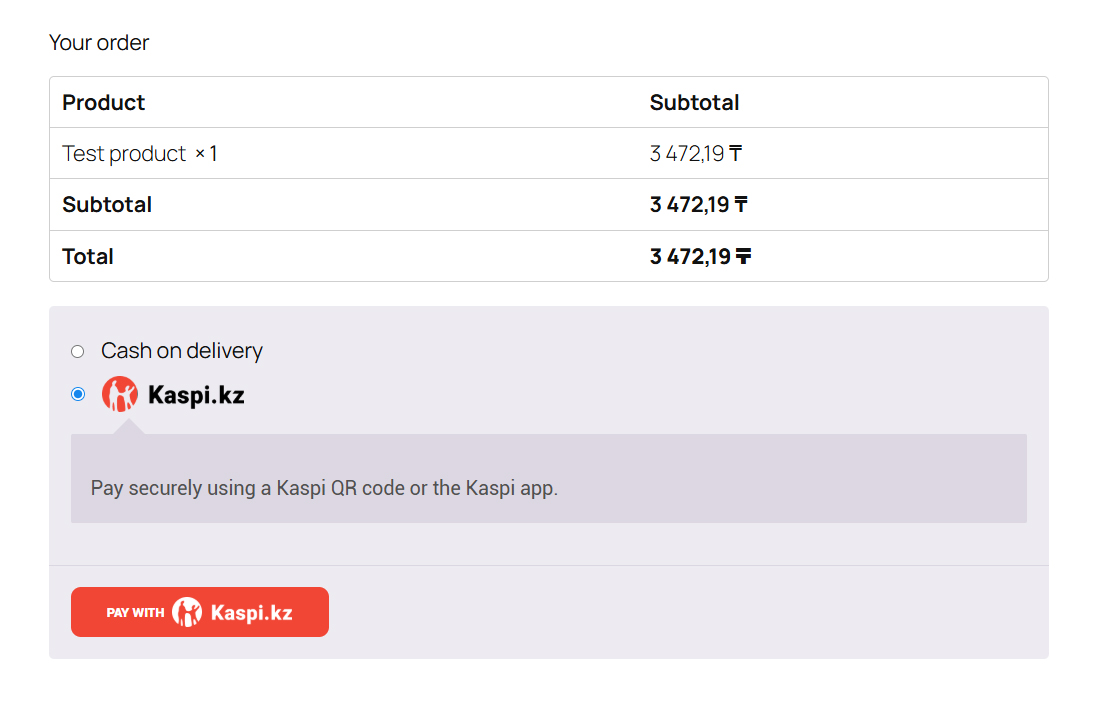
KZ Pay at checkout
Customers can choose Kaspi.kz directly from the WooCommerce payment methods.
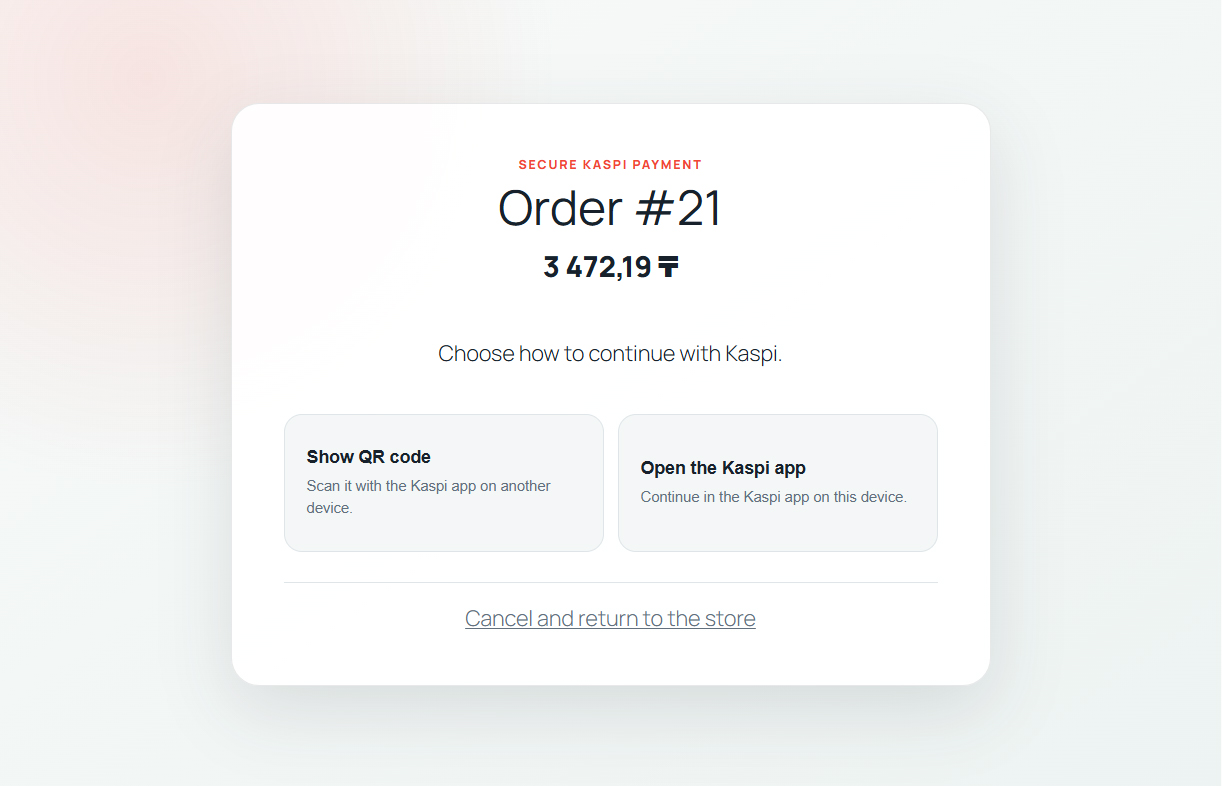
QR or Kaspi app
Customers can show a QR code on desktop or continue in the Kaspi app on mobile.
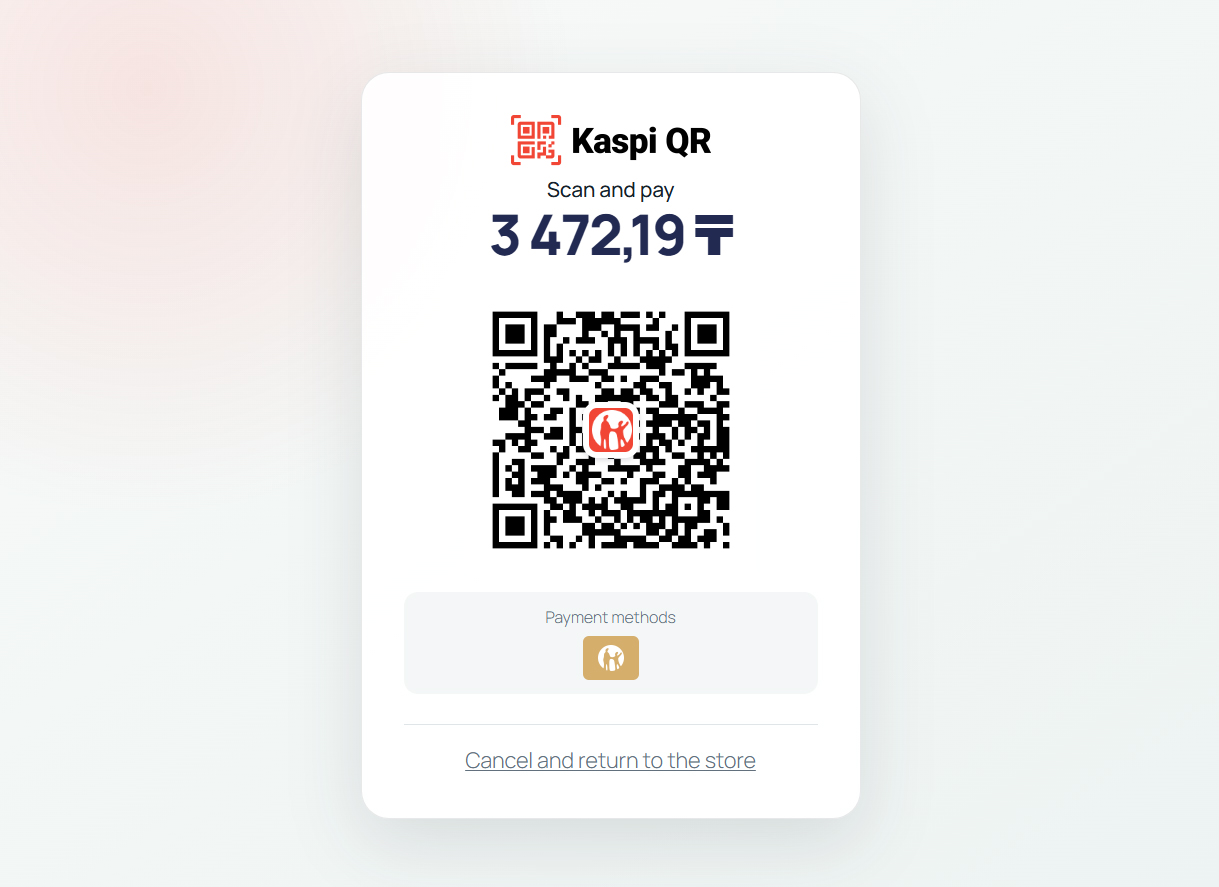
Scan and pay
Desktop customers scan the Kaspi QR while KZ Pay tracks the final payment result.
What you need before you start
KZ Pay adds the WooCommerce integration, but the merchant must already have the required Kaspi Pay access.
Store requirements
- WordPress website
- WooCommerce store
- HTTPS on the production website
- WooCommerce currency set to KZT
Kaspi Pay requirements
- Kaspi Pay organization or account with the required payment access
- Kaspi Pay API key
- Configured trade points
- Store registration completed in Kaspi Pay
License and support
- One production WooCommerce store per license
- 7-day free trial with no credit card required
- Product updates while the subscription is active
- Technical support while the subscription is active
Important limits
- KZ Pay does not provide a Kaspi Pay account or API key
- No Kaspi Shop marketplace checkout integration
- Automatic API refunds are not available
- Payment completion depends on KZ Pay payment-status tracking
KZ Pay for one production WooCommerce store
Try KZ Pay for 7 days. No credit card required. Choose a monthly plan or the annual plan when you are ready to keep it on the store.
Included while active
- Kaspi QR integration
- Payment links
- Product updates while the subscription is active
- Technical support while the subscription is active
- Developed and supported by Group Starlight
Answers before you install
Short answers focused on the buying decision. Detailed technical setup belongs in Documentation.
What is KZ Pay?
KZ Pay is an independent Group Starlight plugin that adds Kaspi QR payments and payment links to WooCommerce.
What do I need before I can use KZ Pay?
You need WordPress, WooCommerce, HTTPS, KZT store currency, Kaspi Pay access, a Kaspi Pay API key and configured trade points.
Do I need an existing Kaspi Pay account?
Yes. The merchant must obtain the required Kaspi Pay access separately.
Does KZ Pay provide a Kaspi Pay API key?
No. The API key must be obtained separately by the merchant through Kaspi Pay.
How do customers pay on desktop?
Desktop customers scan a Kaspi QR code and complete payment in Kaspi.
How do customers pay on mobile?
Mobile customers continue through a payment link on the same device.
How does WooCommerce know the payment succeeded?
KZ Pay tracks the payment status and updates the matching WooCommerce order when the final result is received.
How are refunds handled?
Automatic API refunds are not available with the current Kaspi QR integration. Process the monetary refund in the Kaspi Pay app first, then record it in WooCommerce.
How many websites can I use KZ Pay on?
Each license is for one production WooCommerce store.
What happens if my subscription expires?
Product downloads, updates, license-managed access and technical support depend on the Freemius subscription and license status configured for your account.
Are updates included?
Yes. Product updates are included while the subscription is active.
Is technical support included?
Yes. Technical support is included while the subscription is active. Email support@group-starlight.com. Do not send API keys or passwords.
Is there a free trial?
Yes. You can try KZ Pay for 7 days with no credit card required.
Is KZ Pay an official Kaspi product?
No. KZ Pay is independently developed by Group Starlight and is not an official Kaspi product.
KZ Pay is independently developed by Group Starlight and is not affiliated with, endorsed by, sponsored by, or an official product of Kaspi.kz. Kaspi and related trademarks belong to their respective owners.
Ready to Add Kaspi QR Payments to WooCommerce?
Try KZ Pay on your store for 7 days. No credit card required.
From $19.99/month · $149.99/year